How to Safely Scrape Movies on a Mounted Cloud Drive
Download MDC, then register and sign in to your MDC account to start a free trial.
When movies are stored on a cloud drive, scraping directly to that drive writes posters, metadata, and many small files. This can trigger provider traffic limits and may leave incomplete files if the connection drops.
A more reliable approach is to let MDC read the media through a mounted drive and write the scraping results to a local hard drive.
Step 1: Mount the Cloud Drive as a Network Location
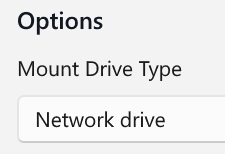
On Windows, use CloudDrive2, RaiDrive, AList, or a similar tool. Select Network Drive, then confirm in This PC that it appears under Network locations.
On macOS, follow Apple's guide to connect to a computer or server, then select the mounted media directory in MDC.
Step 2: Change the Configuration
User panel
- Cloud configuration for the relevant media type → General settings → Organization mode: choose
Soft link.
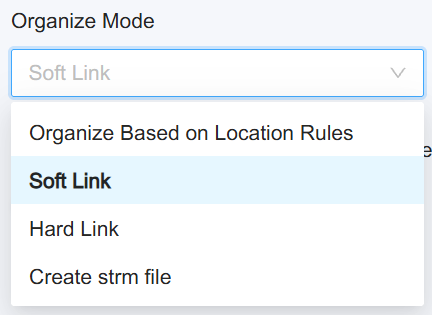
Click Update configuration at the bottom of the page.
TIP
Soft link is recommended. If you use a media library such as Emby, you can also choose Create STRM files.
MDC client
- Local settings → Scraping source directory: select the mounted cloud drive directory.
- Local settings → Output directory: select a directory on a local disk.
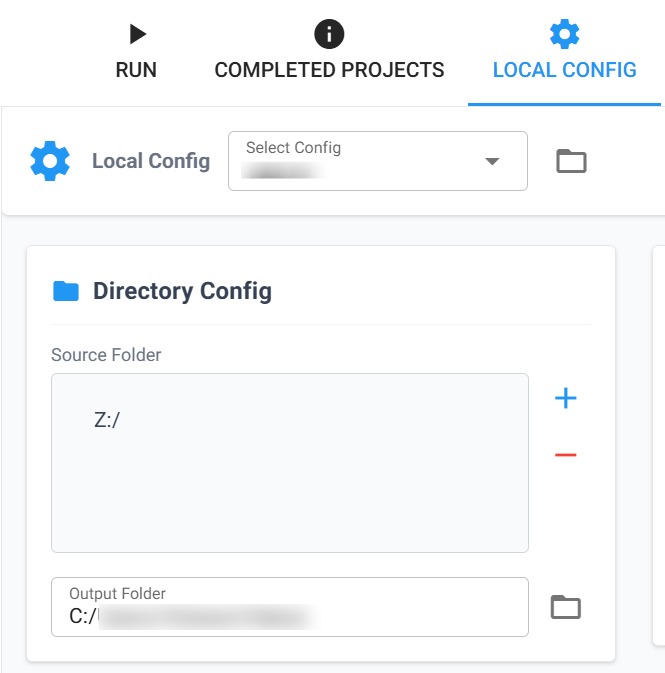
Keep generated link files, metadata, and artwork on the local hard drive. This avoids creating many small files on the cloud drive and reduces the risk of incomplete synchronization or provider throttling.
Step 3: Scrape and Check the Results
TIP
Finding media files may take time. Scanning a cloud drive is usually slower than scanning a local disk.
Do not scan the entire cloud drive on the first run. Start with a few movies in a subdirectory and confirm that MDC can read the media files and match each movie to the correct title or identifier. Expand the scraping scope after the test succeeds.
FAQ
Does the Docker MDC client support this feature?
Yes. The host directory path must match the corresponding path inside the container exactly for link files to work. You can also scrape 302 direct-link STRM files generated by other tools.